📱 Pay for washing
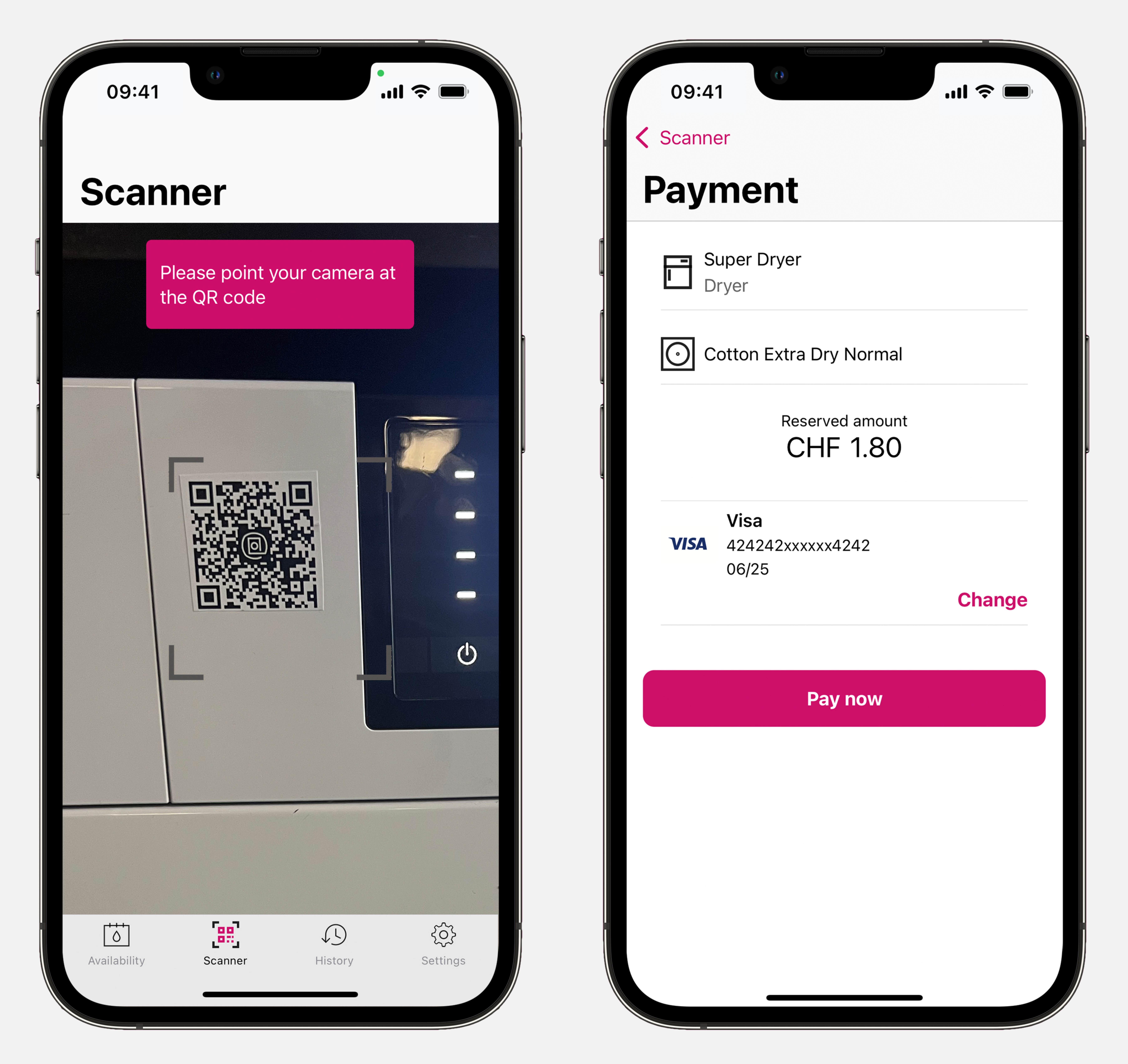
Simply use the machine for washing and drying (open the door, place your washing inside, etc.). Once ready, select the program and press the start button. Then go into the washMaster app on « Scanner » and scan the QR code of the machine. Depending on the machine type, please follow the following steps:
1️⃣ For newer Schulthess models
The washMaster is integrated into the machine for most Schulthess machines. In this case, after scanning in the app, the selected program and its price will be displayed. Confirm the payment by clicking on « Pay now ». The machine will then start automatically.
Note
If your operator has activated push notifications, you will receive a message in the app as soon as the program has finished.
2️⃣ For other brands
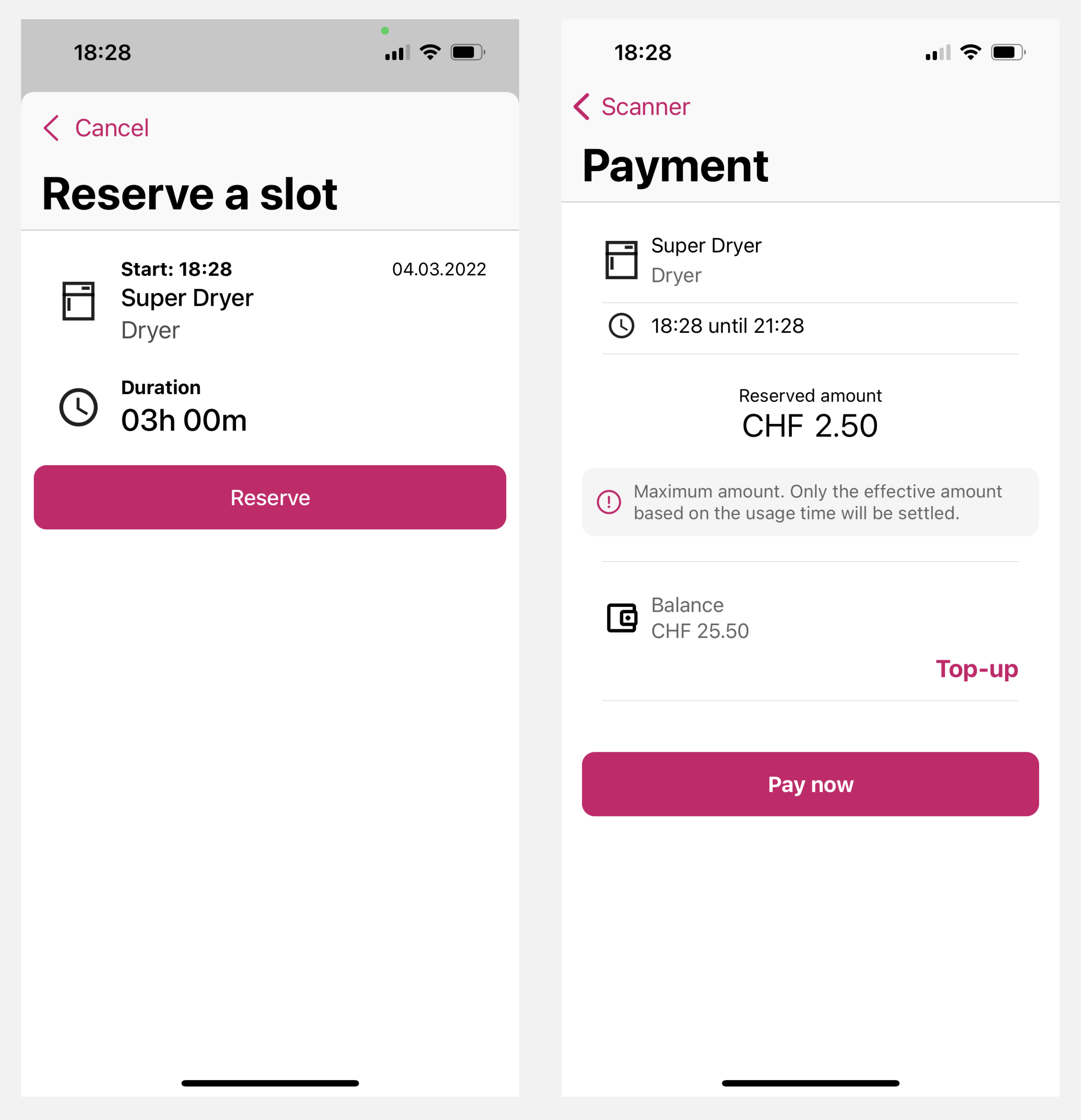
Other brands and older Schulthess models don't have the washMaster module integrated into the operating system. Hence, you don’t pay for a specific washing program but rather for the total washing program duration. This is why the payment process differing slightly :
- Place the washing in the machine. If the door is closed, scan the QR code on the machine and select «Open door».
- Once the laundry is placed in the machine, scan the QR code.
- Select «Reserve». The maximum amount will be displayed. Confirm the payment with «Pay now».
- You can now start the machine as usual.
- When the wash cycle has been completed, only the actual amount used will be deducted.
Note
If your operator has activated push notifications, you will receive a message in the app as soon as the program has finished.